 Dunn
DunnHoneyBook late fees too limited? Dunn vs HoneyBook
Updated October 14, 2026
You did the work, sent the HoneyBook invoice, and now you're waiting. HoneyBook can add a late fee, but only as a percent, only up to 10%, and only once the payment is a full 30 days late. Dunn is built for exactly this part: getting paid on time, on your terms.
Why Dunn gets you paid
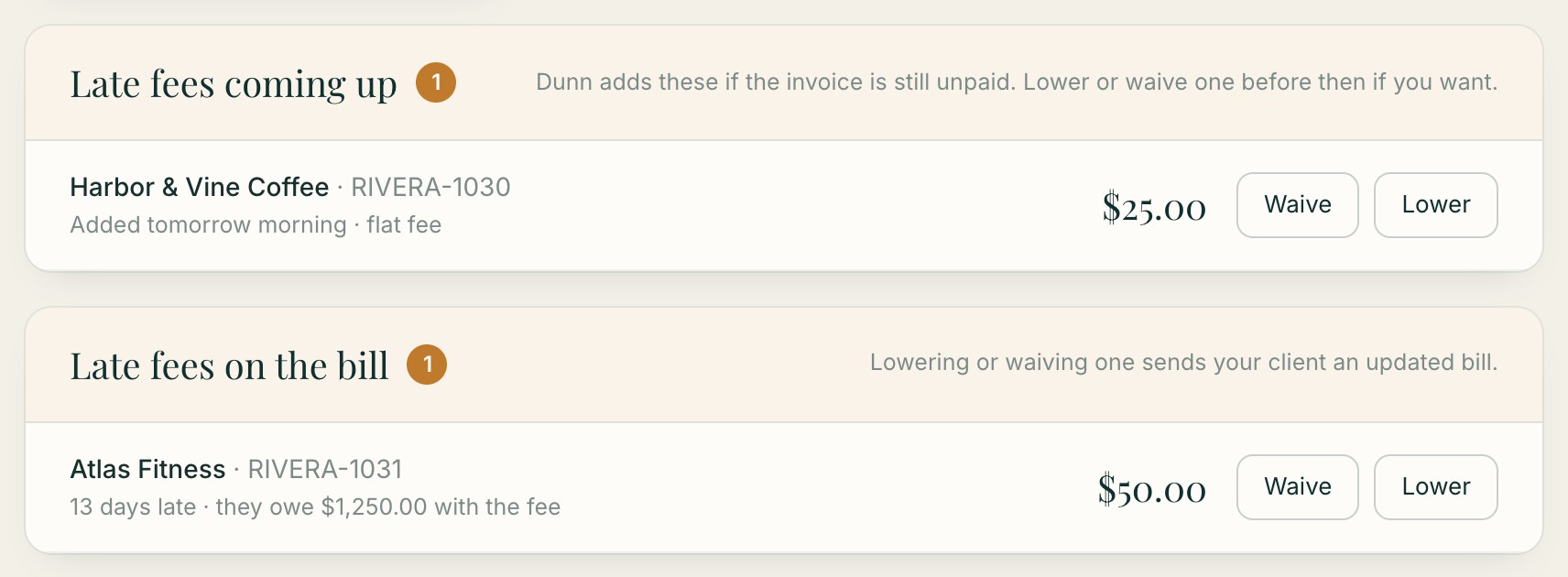
1A heads-up before every late fee
The day before a fee is added, Dunn emails you. Lower it or waive it in one click, even after it's on the bill, and your client gets an updated invoice. No surprises for you or them.
2Reminders stop the moment a client replies
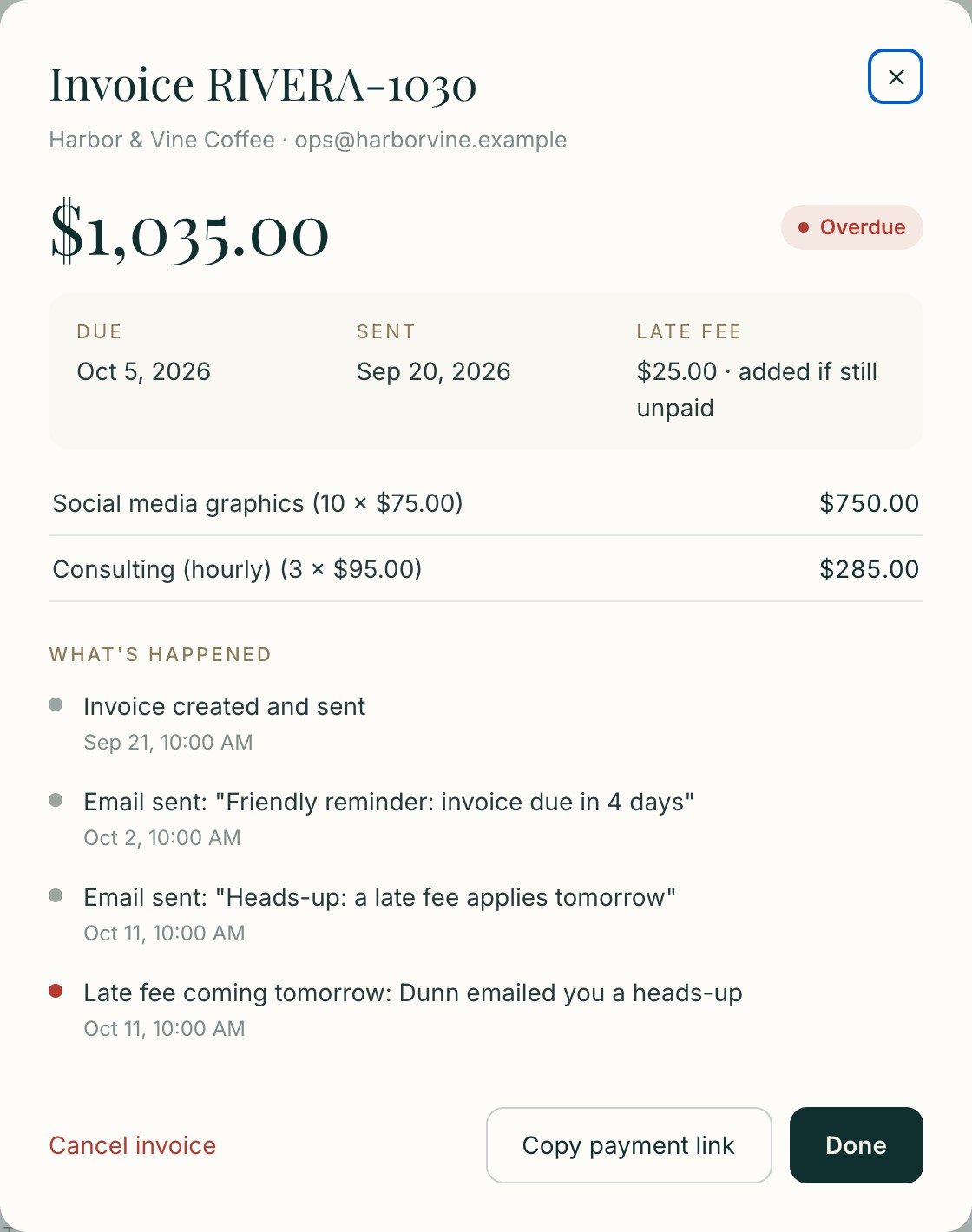
If your client writes back ("paying Friday!"), Dunn pauses the reminders and forwards the reply to you. Every email, reply and fee is on the invoice's record, in case a fee is ever questioned.
3See who you keep letting off the hook
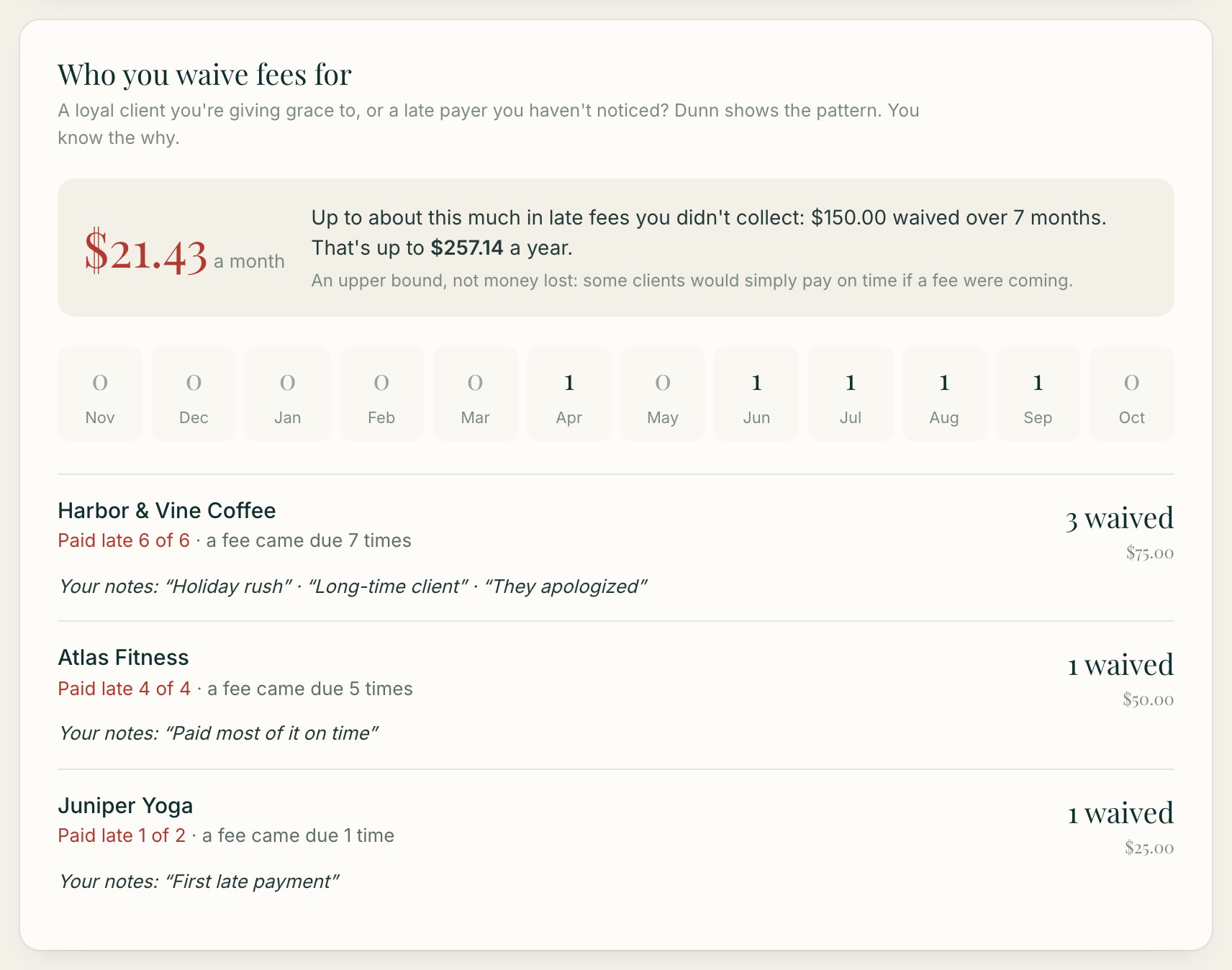
Dunn tracks every fee you waive, by client, with your own notes, and shows what all that grace costs you a year. Then you can decide who gets a deposit next time.
Side by side
| Dunn | HoneyBook | |
|---|---|---|
| Late fee type | Flat amount or percent | Percent only, capped at 10% |
| When the fee can start | After the grace period you choose (even the next day) | 30 days after the due date |
| Waive a fee | One click, even after it's added | Yes, from the Payments tab |
| Reminders stop when a client replies | ✓ | — |
| Report of who you waive fees for | ✓ | — |
| Proposals, contracts, scheduling | ✗ | ✓ |
Features and prices change; we checked each company's own help pages on October 14, 2026.
Use them together
Keep HoneyBook for inquiries, proposals and contracts, and send invoices from Dunn. Dunn creates them in your own Stripe account, follows up, and applies the fee in your contract.
Everything you get with Dunn
- Invoices with saved services, quantities and PO numbers
- Recurring invoices: weekly, every 2 weeks, monthly or a set day
- Card or bank (ACH) payments straight to your Stripe
- Reminders in your voice, before the due date and after
- Automatic late fees, flat or percent, with a heads-up to you first
- Replies pause reminders and come straight to you
- Who's always late and who you waive fees for reports
- Revenue reports with a CSV for QuickBooks, Xero or Wave
- Alerts for overdue invoices, payments, failed payments and bounced emails
- A full record of every email, reply and fee on each invoice
What it costs
Dunn is $39 a month for up to 5 clients, or $59 a month for unlimited clients (or $390 / $540 a year). It works from your own Stripe account, so Stripe's normal payment fees apply and the money goes straight to you.
Quick answers
Can Dunn charge a flat late fee?
Yes. Flat or percent, with any grace period you choose, even the day after the due date.
Can I keep HoneyBook for contracts?
Yes. Many people keep their contract tool and send invoices from Dunn, so the fee in the contract actually gets applied.
Does Dunn replace Stripe?
No. Dunn creates invoices in your own Stripe account. Your clients pay Stripe by card or bank transfer, and the money goes straight to you.
Can I lower or waive a late fee?
Yes. Dunn emails you the day before any fee is added. Lower or waive it in one click, even after it's on the bill.
Let Dunn do the chasing
Dunn sends the reminder before the due date, adds the late fee you agreed on, and keeps the record. Works with your Stripe. From $39 a month.
Start watching